Delete Your Parakaleo Drive Data
Your driving data is yours. This page explains what the Parakaleo Drive app sends us, and how to delete it.
What the app stores and sends
The app works out your trips on your phone. It sends us only a short summary of each trip:
- When the trip started and ended, how far it went, how long it took and the top speed.
- Whether the phone reported a mock location, and whether the GPS position made an impossible jump.
- Any hard braking, hard acceleration, sharp cornering or speeding during the trip: what kind it was, when it happened, how strong it was, your speed just before and how long it lasted. A speeding event also records the posted speed limit and your peak speed.
When you pair the app with a vehicle, it also sends a random install ID, the platform (iPhone or Android), the operating system version, the app version and the device model. About once a day it checks in to say whether tracking is on or off, which permissions are granted and which app version you use.
The app never sends raw GPS points, the route you drove or raw sensor data.
How long we keep it
We delete trip details, including driving events and speeding events, automatically after 90 days. The rest of this information is kept until the account it belongs to is deleted, or for longer where the law requires. Accounts that are cancelled and then inactive for 24 months are also deleted. On your phone, trip summaries are kept for up to 90 days after they have uploaded.
What each action deletes
These actions do different things. Pick the one that fits:
- Switching off a permission in your phone's settings: the app stops collecting location and motion data. Nothing we already hold is deleted.
- Delete my data in the app: erases the trips stored on your phone and unpairs it. Nothing we already hold is deleted.
- Delete trip data in the portal: removes one vehicle's trips and driving events. The vehicle, its pairing and earned points stay. Deleting trip data does not remove distance already counted toward points and prize qualification unless the whole account is deleted.
- Delete account in the portal: erases your profile, your vehicles and all trip data linked to them, subject to the records we must keep by law.
The app first explains why it needs location in the background, before your phone asks for it. You can revoke the permission at any time in your device settings (iPhone: Settings, Parakaleo Drive, Location. Android: Settings, Apps, Parakaleo Drive, Permissions, Location).
Delete the trip data for one vehicle
You need to be the account owner or a manager.
- Sign in to the Parakaleo portal.
- Go to Add a Vehicle, then Parakaleo Mobile.
- Under Your phone vehicles, find the vehicle and choose Delete trip data.
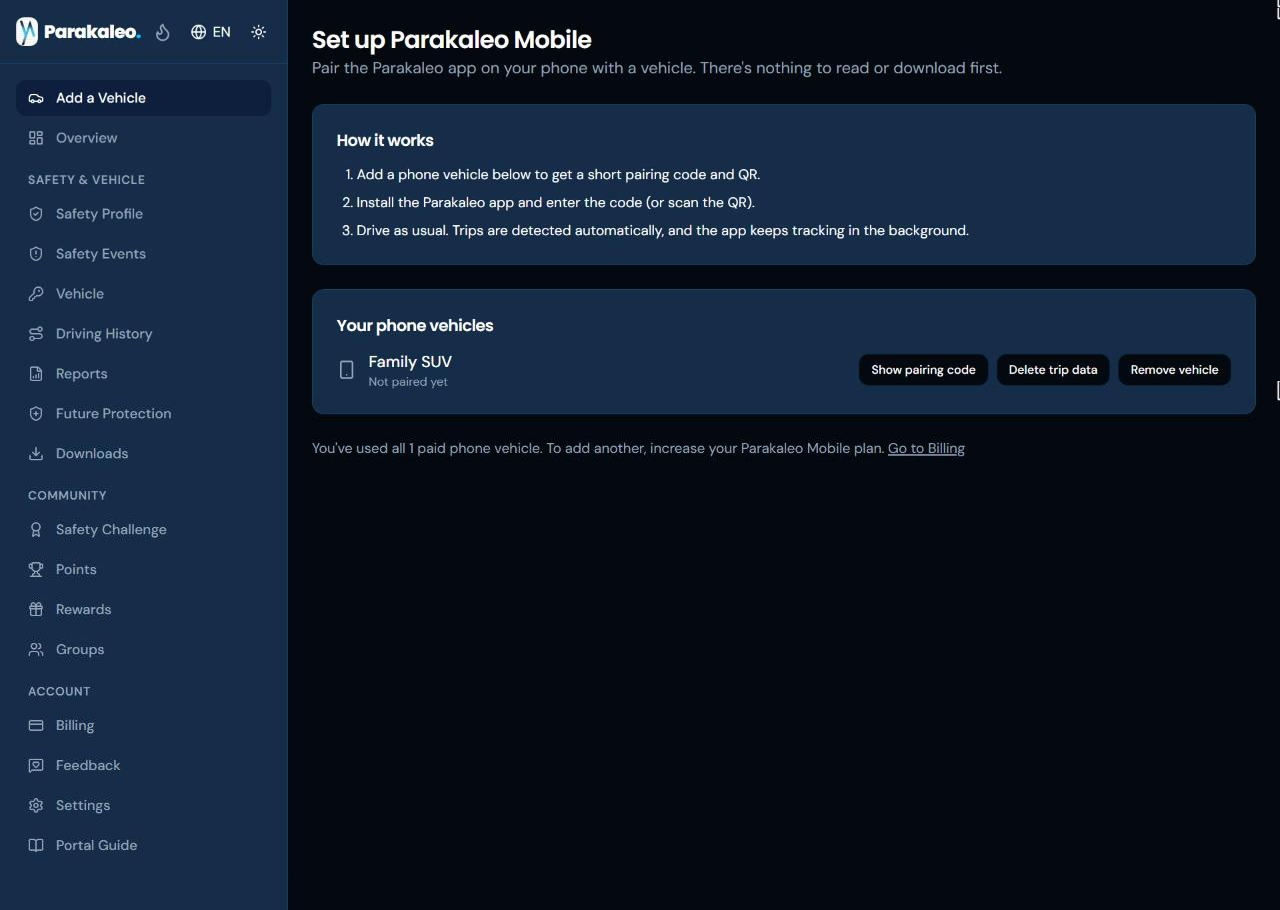
- Read what will be removed, then confirm.
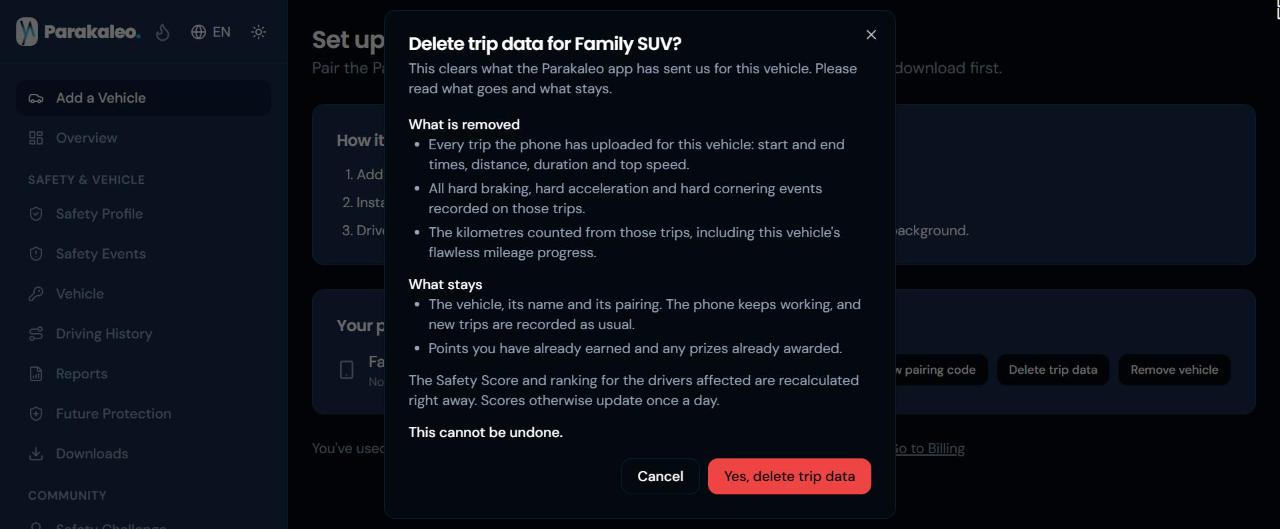
This removes that vehicle's trips and its driving events. The vehicle and its pairing stay, so the app keeps working. Points you have already earned stay too. Deleting trip data does not remove distance already counted toward points and prize qualification unless the whole account is deleted. It cannot be undone, and scores update once a day.
Delete your whole account
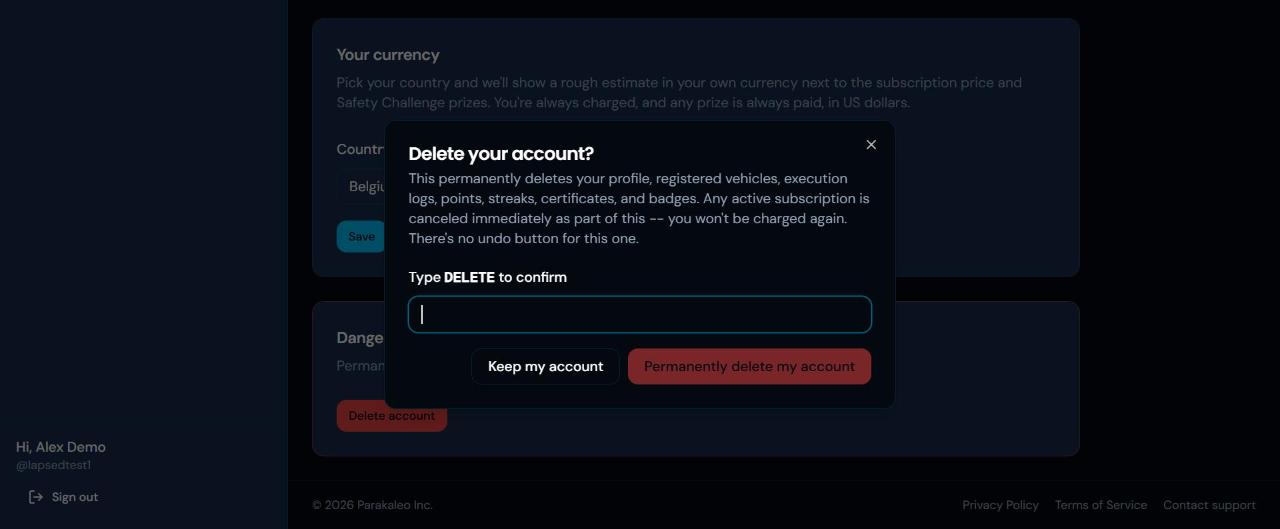
Sign in to the portal and go to Settings, then Delete account. This permanently deletes your profile, your vehicles and all trip data linked to them. Deleting your account ends your subscription and your access immediately, without a refund of the current billing period, except where the law gives you one.
The portal asks you to type DELETE to confirm before anything is removed, so you can read what will happen first.
Full account deletion erases your account data. We keep only what the law requires us to keep, such as billing and tax records and payout records, and only for as long as needed.
In the app
Open Settings in the app and choose Delete my data. This erases the trips stored on your phone and unpairs it. It does not remove what we already hold, so use the steps above for that.
Not the account owner?
If you drive a vehicle that belongs to someone else, ask the account owner to delete the trip data. If you need help, write to us.
Timing, verification and backups
You can also ask us by email to delete your data. We aim to acknowledge requests within 48 hours and will complete them within 30 days. For California residents the period is 45 days if we need to extend it, as the law allows, and we will tell you.
To protect your data, we verify your identity before deleting anything, for example by asking you to write from the email address on your account or to confirm in the portal. If you are not the account owner, we may need to involve the owner.
Data we delete can remain in backups for a limited time. It is removed from backups on the normal backup cycle and is not used for any other purpose in the meantime.
Contact
Questions or requests: hello@parakaleoinc.com. We aim to acknowledge requests within 48 hours.